
Zerlay
Real-time video monitoring, data overlays and synchronised recording — in one workspace.
Request a demonstrationZerlay and Zerlay Client
Zerlay brings camera capture, overlays, a live multiview wall and recording together on one computer. Zerlay Client connects from another computer for remote viewing and control over the network.
Professional video sources
Connect RTSP/IP cameras, including ONVIF devices, built-in and USB cameras, or Blackmagic DeckLink for SDI/HDMI capture with automatic mode detection. Hardware-accelerated processing can be selected for each input.
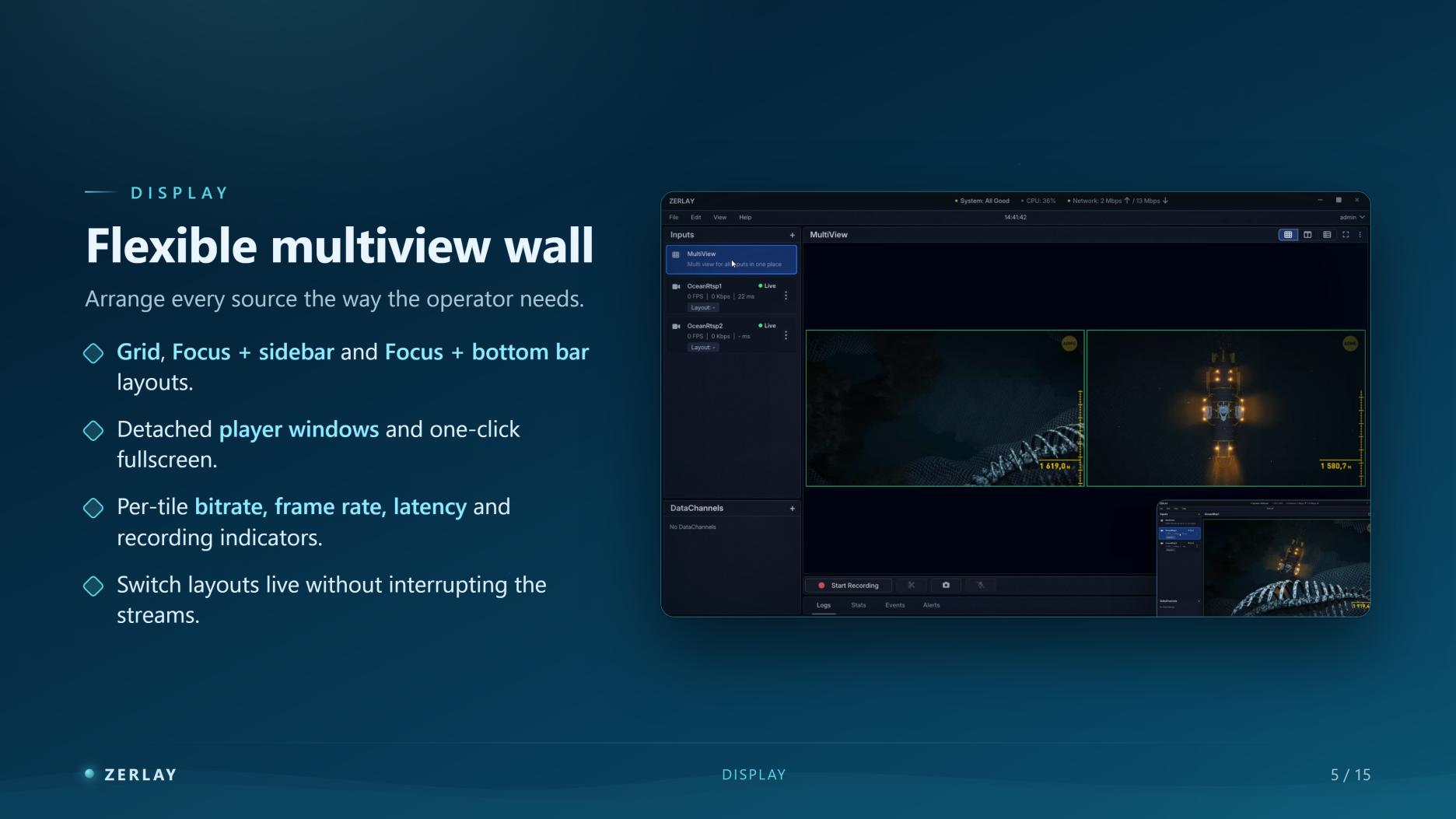
A multiview wall for the operator
Choose a grid, focus with a sidebar, or focus with a bottom bar. Detach player windows or switch to full screen. Each tile shows bitrate, frame rate, latency and recording status; layouts can be changed without interrupting streams.
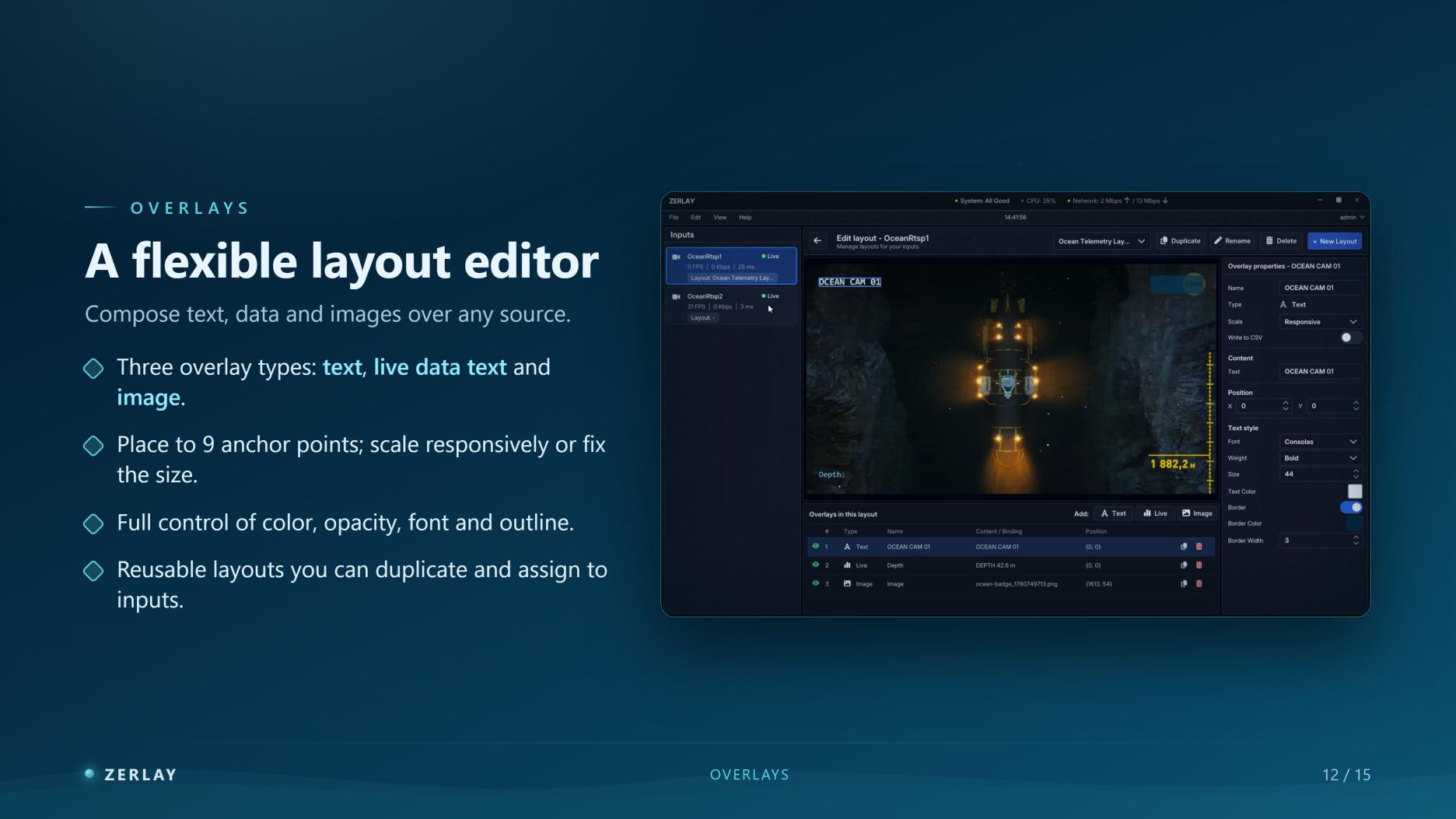
Overlays that carry your data
Combine text, live data and images. The editor offers nine anchor points, responsive or fixed scaling, and control of colour, opacity, font and outline. Duplicate reusable layouts and assign them to different inputs.
Frame-synchronised recording
Record multiple inputs on a shared timeline. Sources are normalised to the project frame rate and aligned on keyframes before segment cuts, keeping manual and automatic splits aligned across files. Recordings use MP4 with H.264 video and AAC audio.
Live telemetry and CSV
Receive external sensor data over UDP and map incoming messages to named values. Feed those values into on-screen overlays and selected CSV columns. A CSV file accompanies each recording, with one time-stamped row per second.
Stills and file organisation
Capture all inputs at the same instant as JPEG or PNG images, including overlays. Store recordings in one folder, by input or by segment. Configure filenames, recording and screenshot folders, and preview the resulting file path.
User access
Sign-in supports persistent sessions, “Remember me” and automatic session restoration. Permissions are configured per user, with credentials stored on the server.
Performance
- Less than 100 ms glass-to-glass latency.
- Approximately 85 MB memory per 1080p stream.
- Approximately 18% GPU load per 1080p stream.
Measurements reported in the presentation: 1080p, Intel Core i9-13980HX, NVIDIA RTX 4080 Laptop GPU, 32 GB RAM. Actual results depend on hardware, sources and network conditions.
Marine and subsea operations
Bring video and operational data together for ROV inspections, marine construction, hydrography and equipment testing. Review synchronised recordings, images and telemetry for analysis and reporting.